Your time is valuable. Track it like it matters.
Indie Hours is a focused workspace for freelancers to manage projects, track billable work sessions, and generate client-ready reports — without juggling multiple tools.

Built for freelance work — end to end
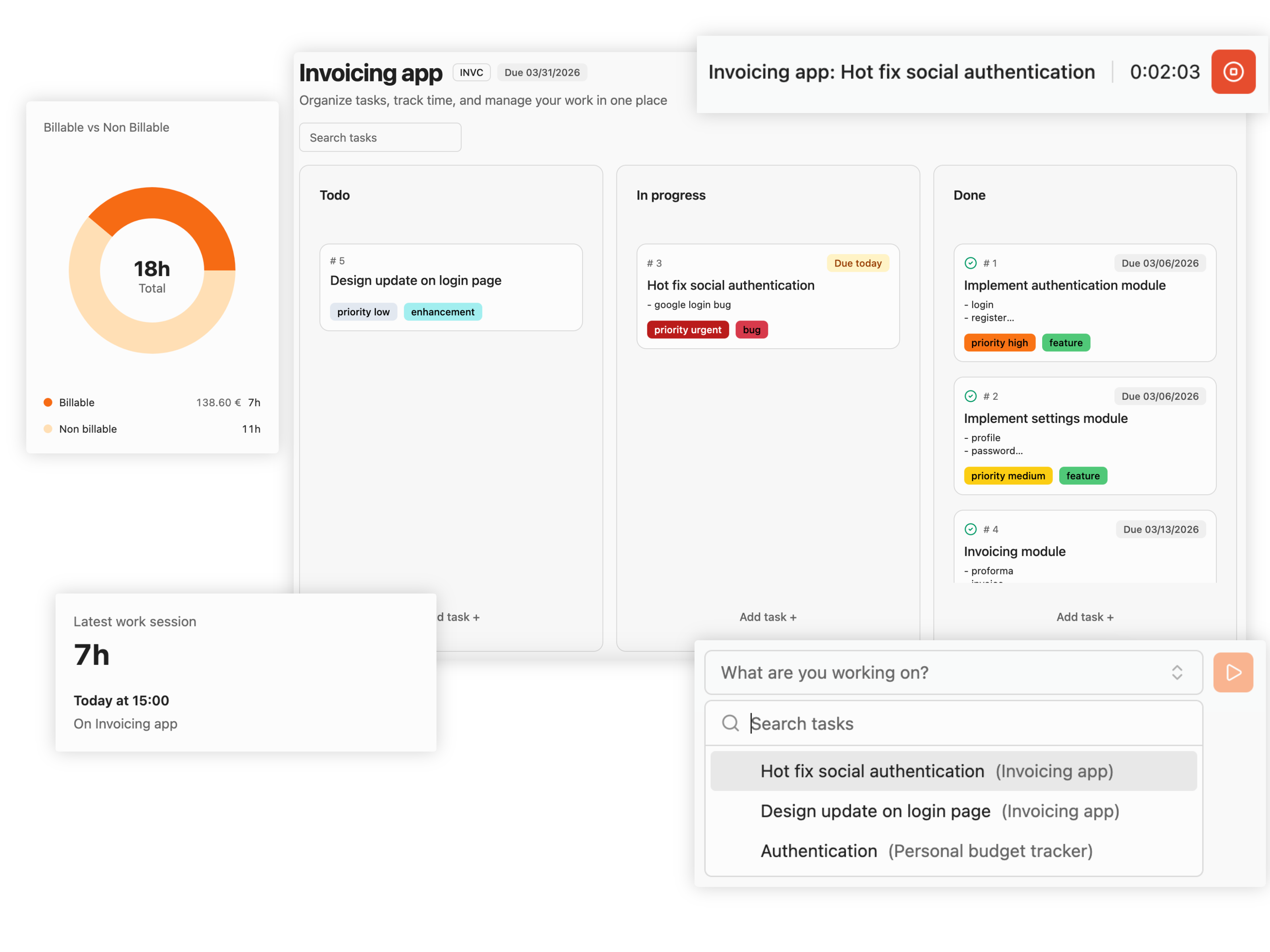
Plan tasks on a simple Kanban, track sessions without friction, and generate clean exports for client updates
Keep work visible in To-do / In progress / Done — with due dates and labels.
Notes, labels, due date, and work sessions — together in a focused side panel.
Start from the header by selecting a task — or directly from the task details.
Advanced filters + a clean list across projects — built for real bookkeeping.
Mark sessions billable, set hourly rates, and keep totals ready for invoicing.
Export filtered sessions and optionally group by task for clean client reporting.
How it works
A simple loop: define work, track time, export.
Add a project, set billing type (hourly or none), create tasks, and plan with due dates.
Start a timer from the header or task details. Every session is logged automatically.
Filter, edit past sessions if needed, then export (optionally grouped by task) for clean reporting.
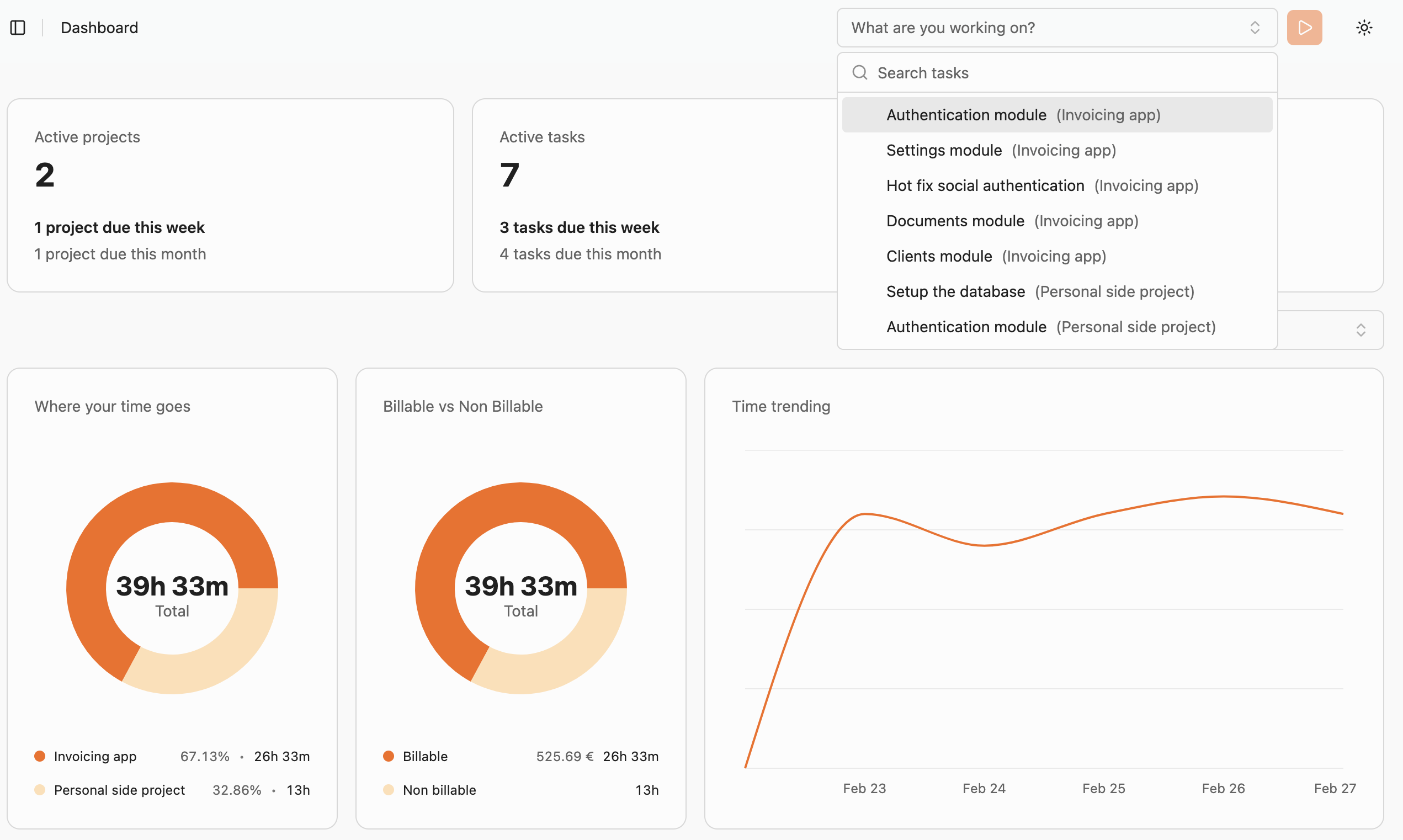
Start timer in seconds
Pick a task, press play, focus. No extra setup.
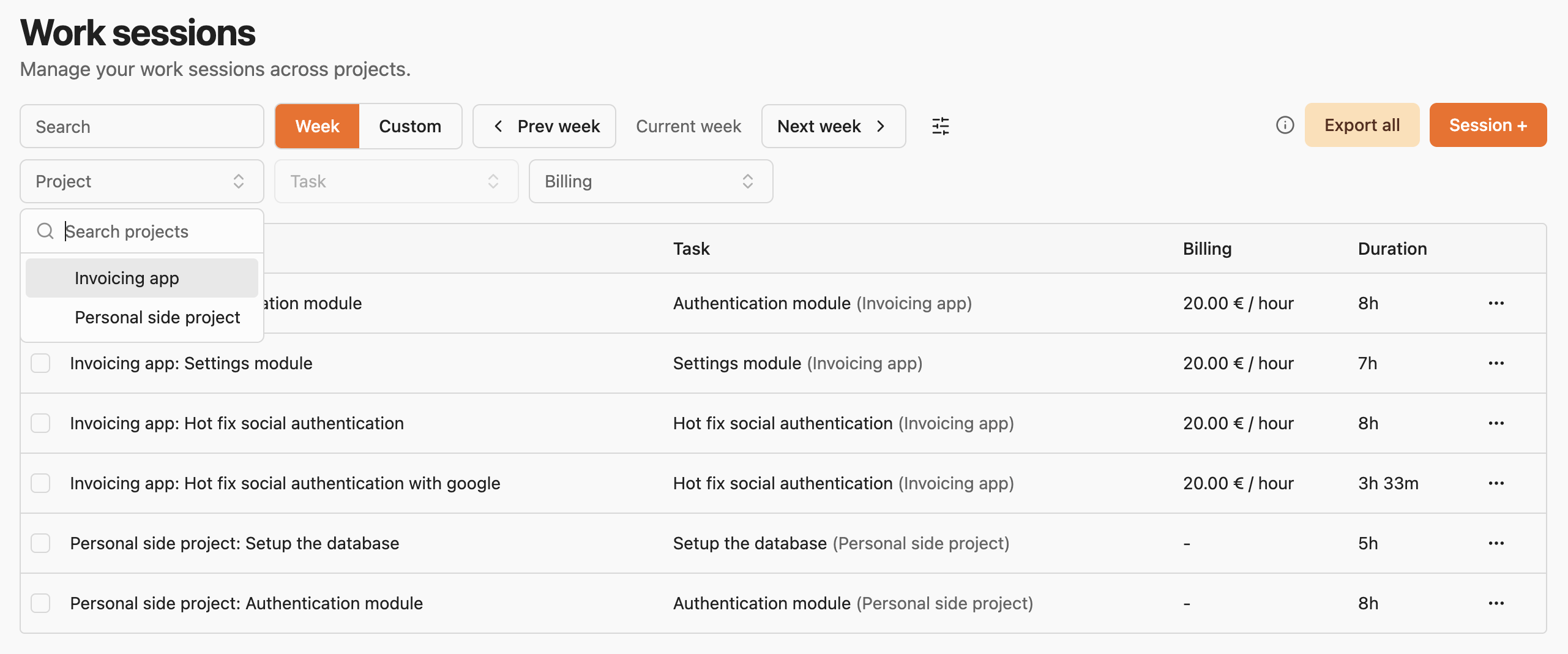
Filter + export history
Find exactly what you need, then export in one click.
Pricing
Simple tiers. Upgrade when you’re ready. Join early access to lock in founder-friendly pricing.
Pricing shown is placeholder.
For solo builders getting organized.
- ✓ Projects + Kanban board
- ✓ Basic time tracking
- ✓ Session history
For freelancers who invoice monthly.
- ✓ Billable sessions + hourly rates
- ✓ Advanced filters
- ✓ Export PDF/XLSX (group by task)
- ✓ Edit past sessions
Early access includes priority feedback loop and onboarding help.
For small studios & agencies.
- ✓ Everything in Pro
- ✓ Shared workflows (placeholder)
- ✓ Team billing controls (placeholder)
FAQ
Short answers to the questions you’ll ask before switching tools.
Who is Indie Hours for? +
Indie Hours is built for freelancers and indie builders who need a simple way to manage tasks, track work sessions, and produce clean exports for clients.
How does time tracking work? +
Start a timer from the app header by selecting a task, or start it directly from a task drawer. Every session is saved to your history, where you can edit or add past sessions if you forgot to track in real time.
Can I mark work as billable and set an hourly rate? +
Yes. Projects can use hourly billing, and each work session can be marked billable (or not). Billable sessions include an hourly rate so your exports reflect real client work.
Can I export work sessions for clients? +
Yes. Filter your work sessions however you need, then export to PDF or XLSX. You can also choose to group sessions by task for clearer client updates.
What happens when I archive a project? +
Archiving hides the project and its related data across the app, so you can keep your workspace clean without deleting everything.Archiving hides the project and its related data across the app, so you can keep your workspace clean without deleting everything.
Get early access to Indie Hours
Be the first to try new features, shape the roadmap, and streamline your billing workflow.
- ✓ Priority onboarding
- ✓ Direct feedback loop
- ✓ Founder-friendly pricing announcements
Join the waitlist
We’ll email you when access opens. No spam.